
What is Descript?
Descript is an AI-powered video and podcast editor that lets you edit media the same way you edit a document. Upload a video, get an auto-transcript, then cut footage by deleting text. It is the closest thing to a word processor for video, and in 2026 it remains one of the most innovative tools in the creator stack.
Founded in 2017, Descript has grown into a full production suite — covering recording, transcription, screen capture, text-based editing, and AI voice cloning in a single app. It targets podcasters, YouTube creators, marketers, and course builders who want professional results without a steep learning curve.
Key Features
Text-Based Video Editing
The headline feature: Descript transcribes your footage and lets you edit the video by editing the transcript. Delete a sentence and the video cut happens automatically. Filler word removal — ums, uhs, long silences — can be done in one click, saving hours on talking-head content.
Overdub — AI Voice Cloning
Overdub lets you correct mispronounced words or add new sentences by typing, and Descript synthesizes your voice to fill the gap. In 2026 the quality is convincingly natural for most voices. Train your model once with roughly 10 minutes of clean audio and it is available on all future projects.
Underlord AI Suite
The Underlord AI suite adds automatic B-roll generation, eye contact correction, background removal, and studio-quality noise suppression. These features used to require separate tools and subscriptions — Descript now bundles them all.
Screen Recording
Descript includes a built-in screen recorder with webcam overlay, making it a complete record-edit-publish pipeline for tutorial creators and SaaS teams without needing additional capture software.
Multi-Track Timeline Editor
Under the text-based interface sits a full timeline editor with multiple video and audio tracks, transitions, effects, and color correction. Power users who need frame-level precision can drop into the timeline at any point.
Collaboration Tools
Team plans allow real-time comment threads on specific transcript lines, shared template libraries, and role-based permission controls — useful for agencies and content teams reviewing edits before publishing.
Pricing
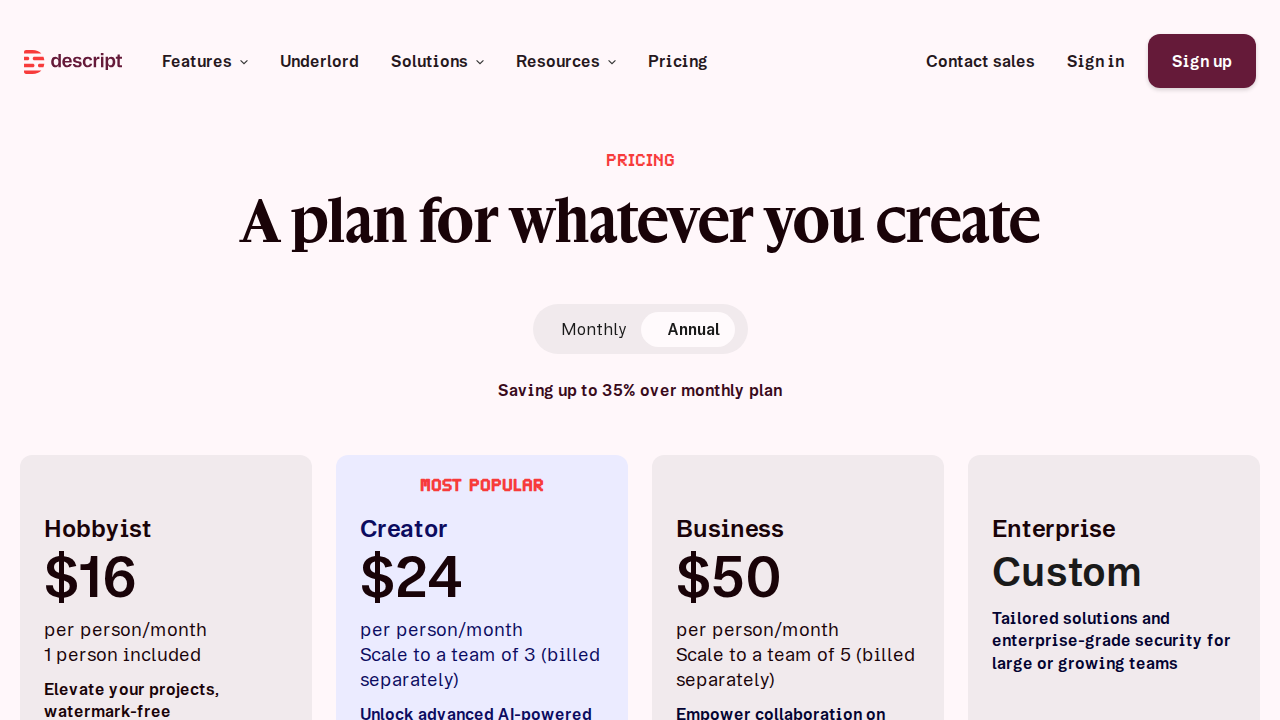
| Plan | Price | Key Limits |
|---|---|---|
| Free | $0/mo | 1 hr transcription/mo, watermarked exports |
| Hobbyist | $12/mo | 10 hrs transcription, no watermark |
| Creator | $24/mo | 30 hrs transcription, Overdub included |
| Business | $40/mo | Unlimited transcription, team features, priority support |
Prices billed annually. Monthly billing adds roughly 20%. Overdub voice training requires Creator plan or above.
Pros and Cons
Pros
- Fastest talking-head editing workflow available — text-based editing is genuinely faster than timeline-only tools for spoken content
- Overdub voice cloning is production-ready — covers re-records and corrections without reshooting
- True all-in-one tool — record, transcribe, edit, and publish without leaving the app
- Underlord AI features are practical — eye contact fix, noise removal, and auto B-roll work out of the box
- Generous free tier — enough to evaluate the full workflow before committing
Cons
- Transcript accuracy drops with heavy accents or multiple overlapping speakers
- Timeline editor lags behind Premiere and Final Cut for complex multi-camera projects
- Overdub requires Creator plan — the most compelling feature is paywalled at $24/mo
- Cloud-dependent — offline editing is limited and large file uploads are slow
- No HDR support and 4K export is restricted to Business plan
Who Should NOT Use Descript
- Cinema and narrative filmmakers — you need the frame-level precision of DaVinci Resolve or Premiere Pro
- 4K or 6K heavy workflows — proxy handling and cloud uploads slow the pipeline considerably
- Complex multi-camera shoots — Descript shines on talking-head content, not multi-angle production
- Teams requiring on-premise processing — all AI features run in the cloud; not available for air-gapped environments
Verdict
Descript earns its reputation as the best AI video editing tool for creators who speak to camera. The text-based editing workflow removes the friction that makes most people avoid editing entirely. Overdub is the most practical AI voice tool bundled into any editor, and the Underlord suite turns a laptop recording into polished content without extra software.
It is not a Premiere replacement — but it was never meant to be. For YouTube videos, podcasts, online courses, and social content, Descript in 2026 is the fastest path from raw footage to published video. The Creator plan at $24 per month pays for itself after the first two videos you would have otherwise outsourced.
Bottom line: 8.5/10. A must-try for solo creators and content teams. Loses points for cloud dependency, paywalled Overdub, and limited multi-cam support.
Start your free Descript trial →
FAQ
Is Descript free to use?
Yes. The free plan includes 1 hour of transcription per month and all core editing features, but adds a watermark to exports. It is enough to test the workflow before upgrading.
Does Descript work on Windows and Mac?
Yes. Descript has native desktop apps for macOS and Windows, plus a browser-based editor for lightweight access without installing software.
How good is Descript Overdub AI voice cloning?
In 2026 Overdub is one of the best voice cloning tools bundled into any video editor. For most English voices it is indistinguishable in short clips. It requires roughly 10 minutes of training audio and a Creator plan or higher.
Can Descript replace Adobe Premiere?
For talking-head, podcast, and solo creator content — often yes. For complex multi-camera, cinematic, or heavily graded work, Premiere or DaVinci Resolve remain better choices.
Is Descript good for podcasters?
Absolutely. Descript started as a podcast editor and the workflow is exceptionally smooth — transcribe, edit by text, remove filler words, and export audiogram clips for social media, all in one tool.