
What is GitHub Copilot?
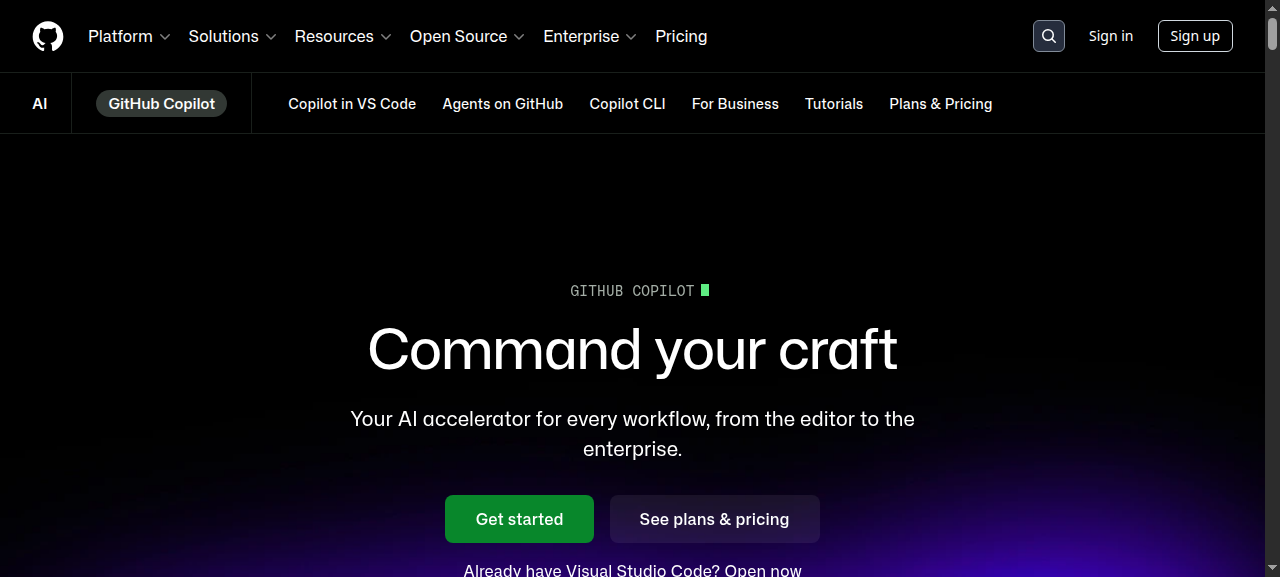
GitHub Copilot is Microsoft’s AI pair programmer, embedded in every major IDE and powered by a choice of frontier models — GPT-4o, o1, Claude 3.5 Sonnet, and Gemini 1.5 Pro. It started as a line-completion experiment in 2021; by mid-2026 it is a full agentic coding environment capable of editing multiple files, reviewing pull requests, explaining runtime errors, and drafting features autonomously through Copilot Workspace.
With over 15 million paid users and deep integration across GitHub’s entire surface — issues, Actions, PRs, the web editor — Copilot is the most ecosystem-complete AI coding tool available today.
Key Features
- Inline code completion — real-time ghost-text suggestions as you type, across 30+ languages and all major IDEs.
- Copilot Chat — conversational assistant inside VS Code, JetBrains, Neovim, Visual Studio, and the GitHub web UI.
- Multi-file edits — propose coordinated changes across an entire repo from a single natural-language prompt.
- Copilot Workspace — agentic mode: describe a task, Copilot plans the implementation, edits files, runs tests, and opens a PR draft.
- PR summaries and code review — automatic descriptions and line-by-line AI review comments on every pull request.
- CLI assistant — gh copilot suggest translates plain English into shell commands with explanations.
- Model choice — switch between speed-optimized and reasoning models per task without leaving the IDE.
- Security autofix — real-time vulnerability detection with one-click fix suggestions powered by CodeQL.
Pricing
| Plan | Price | Best For |
|---|---|---|
| Free | $0 / mo | Casual use — 2,000 completions + 50 chats/mo |
| Individual | $10 / mo or $100 / yr | Solo devs and freelancers |
| Business | $19 / user / mo | Teams needing admin controls and audit logs |
| Enterprise | $39 / user / mo | Custom models, codebase-level context, SSO |
The Individual plan at $10/month is the sweet spot for most working developers. Students and verified open-source maintainers still get it free. Enterprise pricing is competitive against Cursor Business for large GitHub-native organisations but expensive if your team doesn’t live inside GitHub.
Pros and Cons
Pros
- Tightest GitHub ecosystem integration available — PR reviews, Actions, issues, and the web editor all connected.
- Model-choice feature lets you match the right AI to the task — fast completions vs. deep reasoning.
- Copilot Workspace is the most capable agentic coding feature in any mainstream IDE as of 2026.
- Free tier is genuinely functional, not crippled — good enough for light daily use.
- Security autofix catches real CVEs and proposes tested patches, not just warnings.
- Works everywhere: VS Code, JetBrains, Neovim, Visual Studio, GitHub web.
Cons
- Raw multi-file refactor quality lags behind Cursor on complex TypeScript and monorepo work.
- Chat context window on Individual and Business plans is smaller than Cursor’s equivalent tier.
- Workspace is still maturing — occasionally produces logically correct but architecturally wrong solutions.
- Enterprise at $39/user is steep for teams not already deep in the GitHub ecosystem.
- No offline mode — every suggestion requires a live connection.
Who Should NOT Use GitHub Copilot
- Teams on GitLab or Bitbucket — the ecosystem glue disappears; Cursor or Continue.dev are stronger fits.
- Developers with strict data-residency requirements — Individual plan code is used for model training by default (opt-out available); only Business and Enterprise guarantee your code is never used for training.
- Budget-conscious solo devs who need agentic multi-file editing above all else — at the same $10/month, Cursor currently wins on raw editing power for that specific use case.
- Non-technical users — this is a professional developer tool with no no-code or content-creation angle.
Verdict
GitHub Copilot is the best AI coding assistant for developers who live inside GitHub. The ecosystem integration — inline completions through to agentic Workspace PRs — is unmatched by any competitor. The model-choice feature means you are never stuck with a single AI backend, and the free tier makes the entry bar essentially zero.
Is it worth paying for in 2026? Yes, for most working developers. At $10/month it is priced below its own competitive value. The one honest caveat: if your primary need is brute-force multi-file refactoring in a non-GitHub environment, Cursor still has the edge. For everyone else — especially teams already using GitHub Actions, Issues, and PRs — Copilot is the obvious, well-priced choice.
Our rating: 8.5 / 10.
FAQ
Is GitHub Copilot free in 2026?
Yes. The free tier offers 2,000 completions and 50 chat messages per month — enough for light daily use. Verified students and open-source maintainers get Individual plan features at no cost.
GitHub Copilot vs Cursor: which is better?
For GitHub-native workflows — PR reviews, Actions, issues — Copilot wins clearly. For raw multi-file editing power and larger context windows, Cursor currently has the edge. Many teams use both: Cursor for heavy refactors, Copilot for everything touching GitHub.
Does GitHub Copilot train on my code?
On the Individual plan, your prompts and suggestions are used for model improvement by default — you can opt out in account settings. On Business and Enterprise plans, your code is contractually never used for training.
What languages does GitHub Copilot support?
Copilot works across 30+ languages. It performs best with Python, JavaScript, TypeScript, Go, Ruby, Java, C#, and C++. Less common languages are supported but suggestion quality varies with training data availability.
Is GitHub Copilot worth it for a solo developer?
At $10/month or $100/year — yes, for most professional developers. The productivity gains on repetitive boilerplate, test generation, and documentation alone typically pay back the cost within hours of use per month.