What is Runway ML?
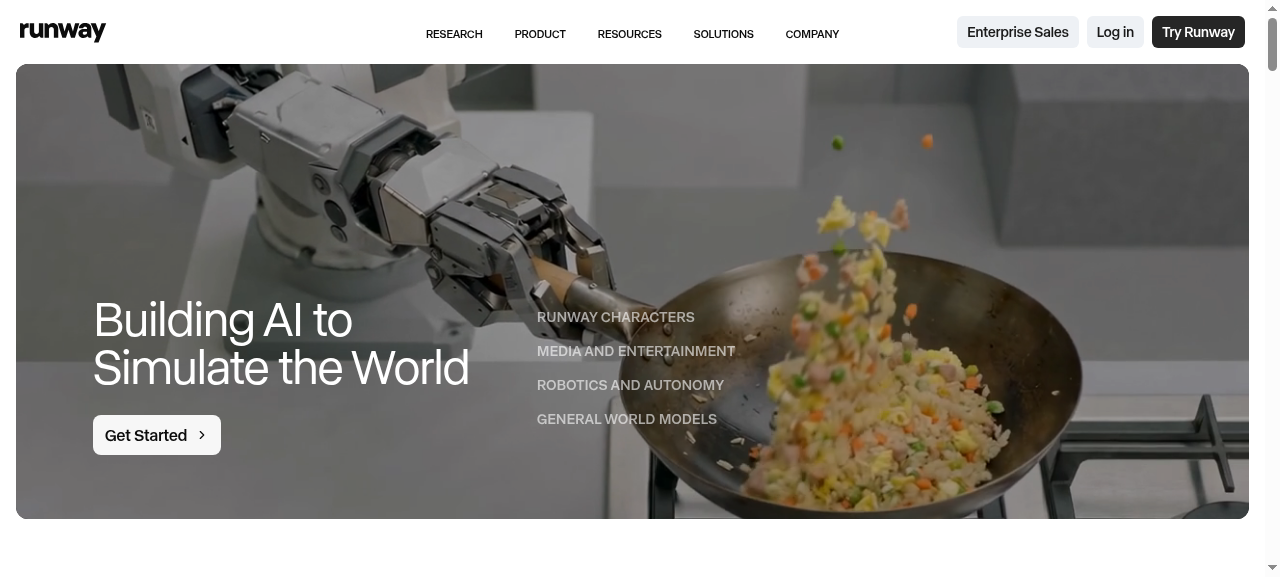
Runway ML is a professional AI video generation platform that turns text prompts and still images into cinematic clips. Gen 3 Alpha — its flagship model — generates 5–10 second videos at up to 1080p with coherent motion, realistic lighting, and surprisingly reliable human movement.
Used by indie filmmakers, ad agencies, and major studios, Runway has built one of the most complete AI video ecosystems available. Gen 3 Alpha Turbo sits alongside it as a faster, credit-efficient variant for rapid iteration before committing to full renders.
Key Features
- Text-to-Video: Generate clips from detailed natural language prompts with strong prompt adherence
- Image-to-Video: Animate any still with controlled, directional motion
- Motion Brush: Paint motion vectors onto specific regions of a frame
- Camera Controls: Define pan, zoom, orbit, and dolly moves per clip
- Gen 3 Alpha Turbo: 3–5x faster generation at lower credit cost
- Video-to-Video: Transform existing footage with style or motion overlays
- Act One: Facial expression transfer for character-driven animation
- Extend Video: Seamlessly lengthen any generated clip beyond its original duration
Pricing
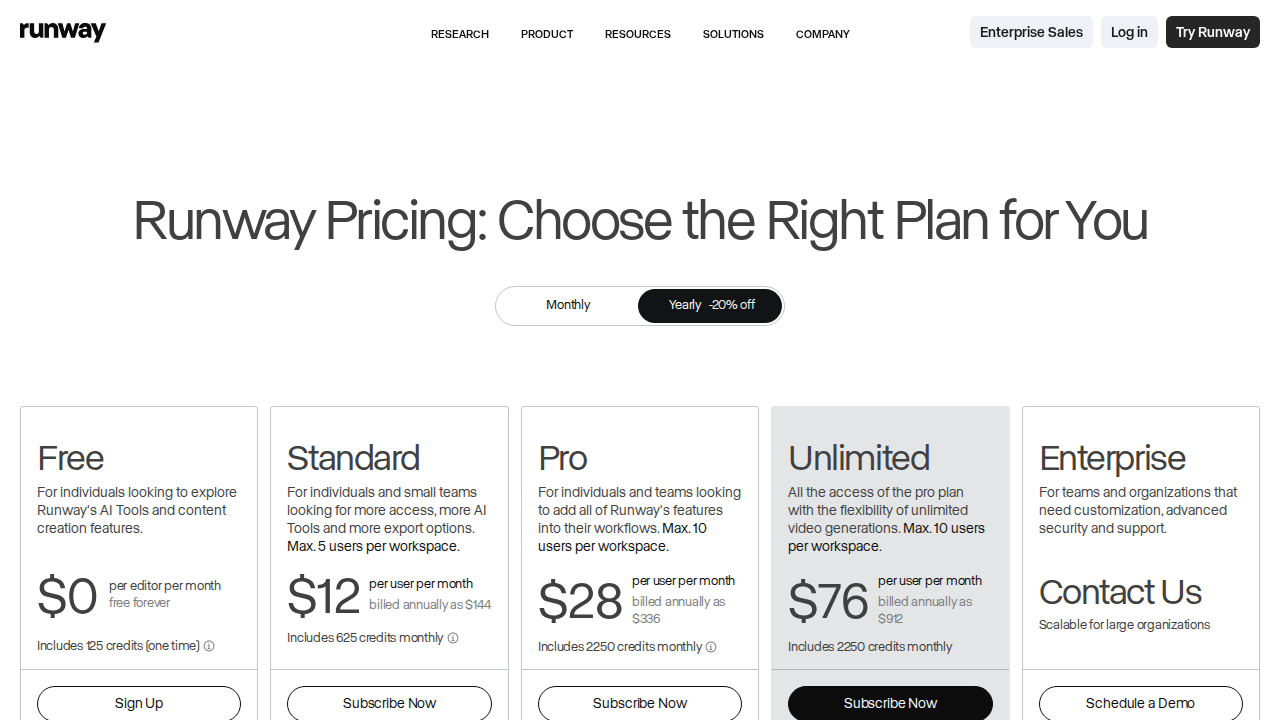
| Plan | Price | Credits/mo | Best For |
|---|---|---|---|
| Free | $0 | 125 one-time | Testing |
| Standard | $15/mo | 625 | Hobbyists |
| Pro | $35/mo | 2,250 | Freelancers |
| Unlimited | $95/mo | Unlimited (relaxed) | Power users |
| Enterprise | Custom | Custom | Studios |
One credit equals roughly one second of Gen 3 Alpha video. Turbo costs fewer credits per second. Annual plans allow unused credits to roll over month to month.
Pros and Cons
Pros
- Best-in-class motion coherence and cinematic rendering quality
- Fine-grained camera and motion brush controls give real directorial input
- More reliable human face and body generation than most competitors
- Strong, consistent prompt adherence on Gen 3 Alpha
- Rapidly improving — major model updates every few months
- Full ecosystem: inpainting, green screen, audio tools, timeline editor
- API access for developers on Pro and Enterprise tiers
Cons
- Standard plan credits drain fast — serious users get pushed to $95/mo
- Unlimited plan throttles generation speed during peak hours
- Clips max out at 10 seconds; longer scenes require stitching
- Kling 2.0 and Sora now challenge quality at lower or comparable price points
- Getting consistently great results requires real prompt engineering skill
Who Should NOT Use Runway ML
- Tight budgets: If you need dozens of clips per day, credits evaporate — Kling or Pika Labs offer better value at volume
- Casual one-off use: The free tier covers experimentation; paying $35–$95/mo only makes sense for regular production work
- Long-form video automation: Runway excels at polished short clips, not automated long-form pipelines
- Total beginners: The tool rewards users who understand camera language and prompt construction; point-and-click results vary wildly
Verdict
Runway ML Gen 3 Alpha remains one of the most capable AI video generation tools in 2026. The combination of Motion Brush, camera controls, and Act One gives professionals genuine creative control — these are not gimmicks, they meaningfully change what you can direct. Motion quality and coherence across a clip are still among the best available.
The main friction is the credit economy. The $15/mo Standard plan is a taste, not a workflow. Real production use lands most users at $95/mo, and at that price, Kling 2.0 and Sora are legitimate alternatives worth benchmarking first. Runway wins on ecosystem depth and workflow integration, not generation quality alone anymore.
Bottom line: If you produce video content professionally or semi-professionally and need reliable, controllable AI video with a mature toolset, Runway Gen 3 earns its price. If you are testing the waters, exhaust the free credits before committing.
FAQ
Is Runway ML Gen 3 worth it in 2026?
Yes, for professional and semi-professional creators. The motion controls and ecosystem depth justify the cost if you produce video regularly. For casual or occasional use, the free credits are sufficient to evaluate whether it fits your workflow.
What is the difference between Gen 3 Alpha and Gen 3 Turbo?
Gen 3 Alpha produces higher quality, more cinematic output with better motion coherence. Gen 3 Turbo is 3–5x faster and costs fewer credits per second, making it ideal for quick drafts and prompt iteration before running final renders with Alpha.
Can Runway ML generate videos longer than 10 seconds?
Not in a single generation. The Extend Video feature lets you seamlessly lengthen clips, and most professionals chain 4–8 second segments together in Runway’s timeline or an external editor like Premiere or DaVinci Resolve.
Does Runway ML have an API in 2026?
Yes. The Runway Gen-3 API is available on Pro and Enterprise plans, supporting programmatic text-to-video and image-to-video generation for developers building custom AI video pipelines.
How does Runway compare to Sora and Kling?
Runway leads on workflow depth, camera controls, and production tooling. Sora (OpenAI) produces impressive long-form coherence. Kling 2.0 (Kuaishou) competes closely on motion quality at a lower price point. For studio-level control, Runway is still the strongest integrated platform.