What is Adobe Firefly?
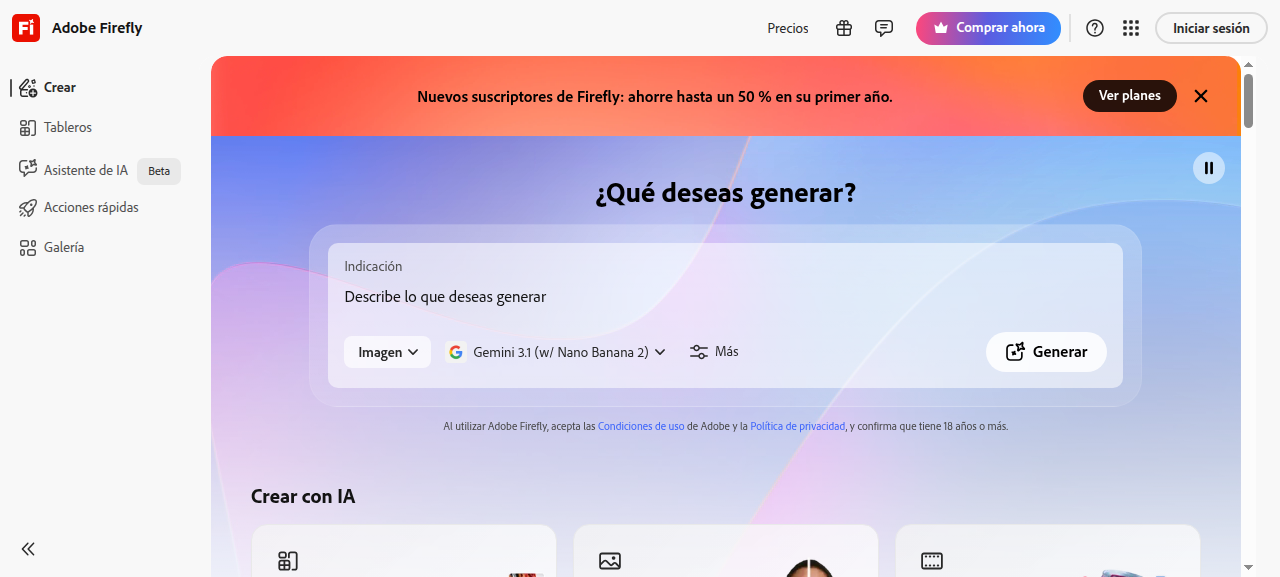
Adobe Firefly is Adobe’s flagship generative AI image suite, built natively into Creative Cloud. Unlike most AI image generators, Firefly is trained exclusively on licensed Adobe Stock images, openly licensed content, and public domain works — making every output commercially safe by default. In 2026, Firefly Image 3 has closed much of the quality gap with Midjourney, while maintaining its core advantage: zero copyright liability for commercial use.
If you are comparing Adobe Firefly vs Midjourney in 2026, the decision comes down to one question: do you need legally clean outputs for client work, or maximum artistic quality for personal projects?
Key Features
- Generative Fill and Expand (Photoshop) — Remove objects, extend canvases, and replace backgrounds with a single prompt. Best-in-class in-context editing in 2026.
- Firefly Image 3 Model — Photorealistic outputs with improved lighting, skin texture, and scene coherence. Competitive with Midjourney v6.1 on product shots and corporate imagery.
- Text Effects — Apply typographic styles with simple prompts. Unmatched in its category across all AI tools.
- Vector Recoloring (Illustrator) — Recolor entire vector illustrations using natural language. A major time-saver for graphic designers.
- Structure and Style Reference — Upload reference images to control composition and visual style, similar to Midjourney’s —sref and —cref flags.
- Firefly for Enterprise — Custom model training on brand assets, private generation pipelines, and team credits. A capability Midjourney does not offer.
- Content Credentials (C2PA) — Every output is tagged with provenance metadata proving AI origin. Critical for editorial compliance and legal protection.
Pricing
| Plan | Price | Generative Credits | Best For |
|---|---|---|---|
| Free | $0/mo | 25/month | Testing and occasional use |
| Firefly Premium | $9.99/mo | 100/month | Solo creators |
| Creative Cloud All Apps | $59.99/mo | 1,000/month | Professional designers |
| Enterprise | Custom | Custom | Teams with brand training needs |
Midjourney Basic starts at $10/mo for around 200 images. For pure volume, Midjourney is cheaper. For existing CC subscribers, Firefly credits are bundled into your current plan at no extra cost.
Pros and Cons
Pros
- 100% commercially safe outputs — trained exclusively on licensed and public domain content
- Deep Creative Cloud integration across Photoshop, Illustrator, Express, and Premiere
- Generative Fill is the best in-context photo editing tool available in 2026
- Enterprise-grade brand customization and private model deployment
- Content Credentials for provenance, compliance, and editorial use
- Structure and Style Reference controls added in late 2025 close the gap with Midjourney
Cons
- Midjourney v7 still produces more artistically striking and painterly outputs
- Credit system feels limiting on Free and Premium tiers for heavy users
- Standalone web app is less intuitive than Midjourney’s UI for fast prompt iteration
- No native video generation capability as of mid-2026
- Requires Creative Cloud for maximum value — poor fit for non-Adobe users
Who Should NOT Use Adobe Firefly
- Artists and illustrators who prioritize raw aesthetic quality and stylization — Midjourney v7 or Ideogram 3 will produce more striking results.
- Rapid prompt experimenters who enjoy fast iteration and community discovery — Midjourney’s workflow and public feed are unmatched for creative exploration.
- Budget-first users outside the Adobe ecosystem — paying $59.99/mo for AI image generation alone is hard to justify vs. Midjourney at $10/mo.
- Video creators — Firefly has no native video generation as of mid-2026; look at Runway, Kling, or Sora instead.
Verdict
In the Adobe Firefly vs Midjourney 2026 comparison, both tools excel in different arenas — the winner depends entirely on your workflow.
Choose Adobe Firefly if you are a professional designer, agency, or enterprise team producing commercial work. The commercial safety guarantee eliminates legal risk, Generative Fill inside Photoshop is a genuine workflow game-changer, and brand model training is a capability Midjourney simply cannot match.
Choose Midjourney if you are an artist, illustrator, or creative director who needs maximum aesthetic impact, cinematic imagery, and rapid prompt iteration. Midjourney v7 still leads on raw artistic output quality.
Rating: 8.5/10 — Adobe Firefly earns its score through commercial reliability, deep Creative Cloud integration, and enterprise readiness. It is not the most glamorous AI image tool, but it is the most professional one available in 2026. Try Adobe Firefly
FAQ
Is Adobe Firefly better than Midjourney in 2026?
For commercial use, legal safety, and Creative Cloud workflows, yes. For raw artistic output quality and fast prompt iteration, Midjourney still holds the edge.
Can I use Adobe Firefly images commercially?
Yes. Firefly is trained on licensed content only, making all outputs commercially safe by default. Midjourney commercial rights vary by subscription tier.
Does Adobe Firefly have a free plan?
Yes — 25 generative credits per month on the free tier. Enough for testing, but not for production-level volume.
What is the main difference between Adobe Firefly and Midjourney?
Firefly is built for professional workflows, commercial safety, and Creative Cloud integration. Midjourney prioritizes artistic quality, community-driven iteration, and prompt flexibility.
Is Adobe Firefly worth it if I already pay for Creative Cloud?
Absolutely. Generative Fill in Photoshop alone justifies it for retouchers and product designers. The 1,000 credits included in CC All Apps are generous for daily professional use.