What is Cursor?
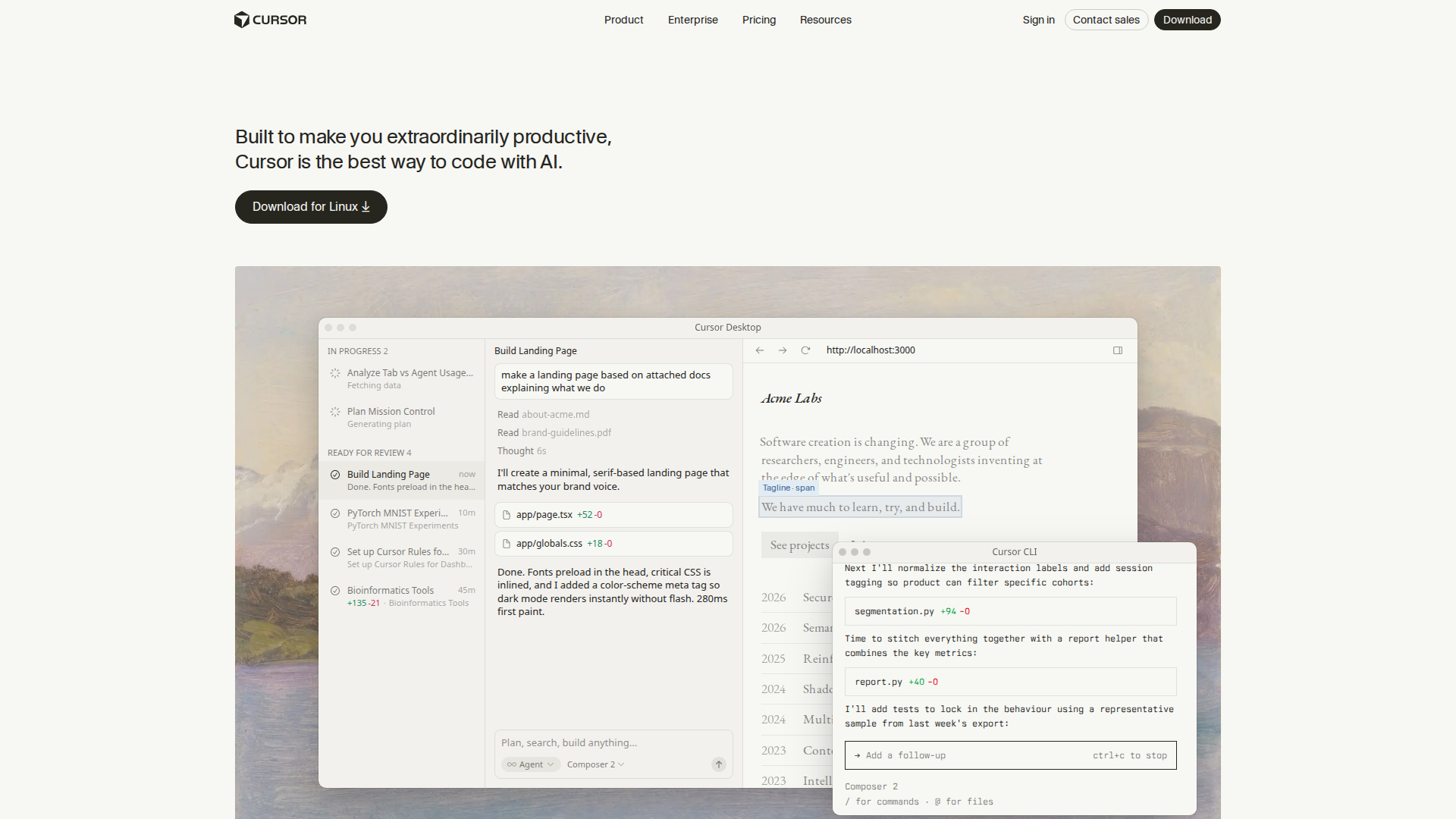
Cursor is an AI-native code editor built on VS Code and developed by Anysphere. It has become one of the most widely adopted AI coding tools for developers who want deep AI integration inside a familiar editor. In August 2026, Anysphere was acquired by SpaceX for approximately $60 billion, introducing new questions about its model partnerships and long-term direction — including a reported OpenAI model cutoff scheduled for November 2026.
Key Features
- Agent Mode — Autonomously writes, edits, and runs code across multiple files with minimal hand-holding.
- Tab Completions — Inline AI suggestions as you type, with deeper codebase context than most alternatives.
- Multi-file Context — Understands your entire project, not just the open file.
- MCP Support — Model Context Protocol lets you connect external tools and data sources directly into the AI layer.
- Cloud Agents — Background agents that execute tasks asynchronously, available on paid plans.
- Frontier Model Access — Paid plans include the latest available LLMs.
Pricing
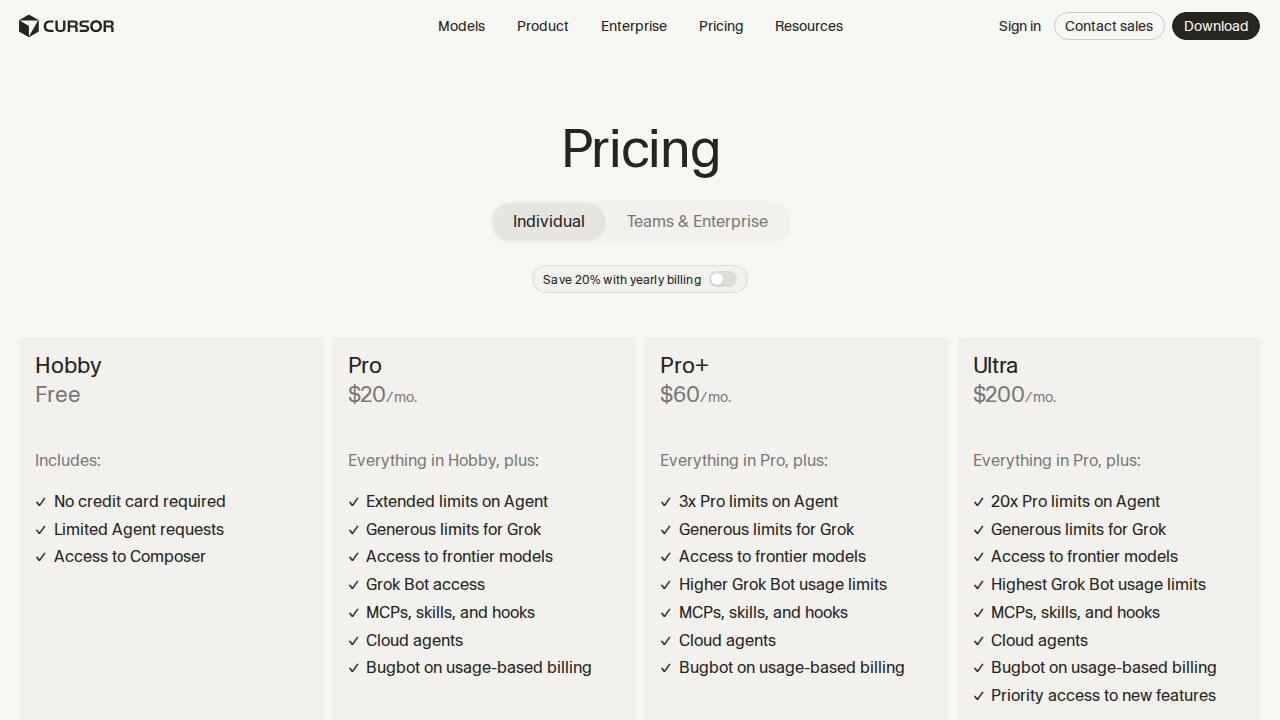
Cursor switched to a credit-based billing model in 2026, replacing the older per-request system. Your monthly plan price equals your credit pool; overages are billed at each model’s per-token rate. The more you lean on frontier models and long agentic sessions, the faster credits burn.
| Plan | Price | Best For |
|---|---|---|
| Hobby | Free | Evaluating Cursor — limited agent requests and tab completions, no card required |
| Individual | $20 / mo | Solo devs — extended agent limits, frontier models, MCPs, cloud agents, Bugbot |
| Pro+ | $60 / mo | Power users needing a larger monthly credit pool |
| Ultra | $200 / mo | Heavy users running large agentic workflows daily |
| Teams | $40 / user / mo | Engineering teams — adds centralized billing and administration |
The Hobby plan is genuinely free with no credit card required, making it easy to test before committing. The jump from Individual ($20) to Ultra ($200) is steep, and users on the official community forum have noted that complex agent tasks can exhaust credits faster than expected.
See official pricing at cursor.com/pricing →
Pros and Cons
Pros
- Polished VS Code-based interface — zero learning curve for existing VS Code users
- Free tier available with no credit card required
- Agent mode handles multi-file refactors autonomously
- MCP and cloud agent support included on the $20 Individual plan
- Frontier model access on all paid tiers
- Yearly billing available for additional savings
Cons
- Credit-based model can be opaque — usage burns faster than expected on complex tasks
- SpaceX acquisition and anticipated OpenAI model cutoff (November 2026) introduce platform risk
- Pro+ ($60) and Ultra ($200) are expensive for individual developers
- No open-source option — you depend on Cursor’s proprietary layer
- A 2025 pricing change required a CEO apology, signaling a history of policy instability
Who Should NOT Use Cursor
- Teams concerned about vendor lock-in — the SpaceX acquisition and potential model cuts are real risks for teams betting on Cursor long-term.
- Budget-conscious solo developers — if $20/month is tight, open-source tools like Cline or Aider can deliver comparable results on self-hosted models at lower cost.
- Neovim or Emacs users — Cursor is a VS Code fork; if you dislike that editor, you will dislike this one too.
- Teams that need guaranteed model availability — with OpenAI access reportedly ending November 2026, the model roster may shift unexpectedly.
Verdict
Cursor remains one of the most capable AI code editors you can buy in 2026. Its free tier is generous enough to evaluate the product seriously, and the $20 Individual plan is competitive for developers who want agent mode, MCP support, and frontier model access in one place. The credit-based pricing requires some monitoring — heavy agentic use on frontier models can trigger overages — but the core product earns its price.
The bigger question heading into late 2026 is platform stability. The SpaceX acquisition and the anticipated OpenAI model cutoff are legitimate concerns for teams making a long-term bet. If you can accept that uncertainty, Cursor is still the most polished option in the AI editor space. If you cannot, now is the right time to run a structured evaluation of alternatives.
Sources Checked
- cursor.com/pricing — Official plan and feature comparison
- opslyft.com — Cursor Pricing 2026 — Full tier breakdown including Pro+ and Ultra
- markaicode.com — Cursor IDE Pricing 2026 — Credit model explanation
- exodata.io — Cursor Alternatives 2026 — SpaceX acquisition context
- TechCrunch — Cursor pricing apology — Pricing change history
FAQ
Is Cursor free?
Yes. The Hobby plan is completely free with no credit card required. It includes limited agent requests and tab completions — enough to evaluate the tool before deciding to upgrade.
How much does Cursor cost per month?
Paid plans start at $20/month (Individual), with Pro+ at $60/month, Ultra at $200/month, and Teams at $40 per user per month. A yearly billing option is available at a discount.
What changed with Cursor pricing in 2026?
Cursor replaced its old request-count system with a credit-based model. Your monthly plan price equals your credit pool, and heavy use of frontier models or long agentic sessions can exhaust credits quickly and trigger per-token overage charges.
Will Cursor lose access to OpenAI models?
According to reports from August 2026, OpenAI announced it would cut Cursor off from its models on November 12, 2026. What that means for the available model roster after that date remains unclear.
Is Cursor worth $20/month?
For most active developers, yes. The Individual plan includes agent mode, MCP support, cloud agents, and frontier model access — a strong feature set at that price point. Developers running heavy agentic workflows may find they need to monitor credit consumption to avoid overages.