What is Leonardo AI?
Leonardo AI is a creator-first generative AI platform built around high-volume visual production. Originally aimed at game-asset pipelines, it has expanded into a full suite covering text-to-image, image-to-image, model training, and video generation. Its anime-style outputs and Character Reference system have made it a go-to for indie game studios, freelancers building consistent brand characters, and hobbyists who want professional results without professional budgets. As of 2026 it remains one of the most-used image generators on the web — traffic driven not by casual experimenters but by people with real production needs.
Key Features for Anime Character Design
Character Reference — 90%+ Consistency
The standout feature for anime creators is Character Reference: upload a single reference image and Leonardo locks in your character’s face, style, and silhouette across subsequent generations. Selfielab’s 2026 Leonardo AI Consistent Character Tutorials report 90%+ consistency across generation batches — a significant time-saver for comics, game sprites, and webtoon-style social content.
Flow State Mode with Native Anime Preset
Flow State mode offers dedicated style presets including anime, acrylic painting, bronze, origami, graphic design, color sketch, oil painting, and clay sculpture. Each preset pairs with lighting options — backlight, front light, candle, and others — giving fine-grained control over the final look without requiring deep prompting expertise.
The 5-Step Anime Character Workflow
Based on the workflows documented in Selfielab’s 2026 tutorials, the recommended process is:
- Prepare a reference image — a clean front-facing portrait or full-body shot works best.
- Upload to Character Reference — enable the feature inside the image generation panel.
- Write a style-focused prompt — describe the scene, pose, or outfit variation you need.
- Lock the seed — pin the generation seed to anchor proportions when creating multi-pose sheets.
- Iterate with image-to-image — use your best output as the base for the next variation.
Hobbyists following this workflow report 3× faster output compared to starting from scratch each session.
Custom Model Training
Beyond presets, Leonardo lets you train custom models on your own art or reference packs. For illustrators and animators who need a specific house style — cel-shading, a particular color palette, or a defined linework weight — this is the feature that separates Leonardo from simpler tools and makes it viable for long-term character operations.
ControlNet-Style Controls and High-Volume Output
Leonardo supports ControlNet-style control for pose and composition, which reviewers at Litmus rated as one of its core differentiators for game artists and indie studios needing concept iteration at volume. The clean web interface means no local installation is required.
Pricing
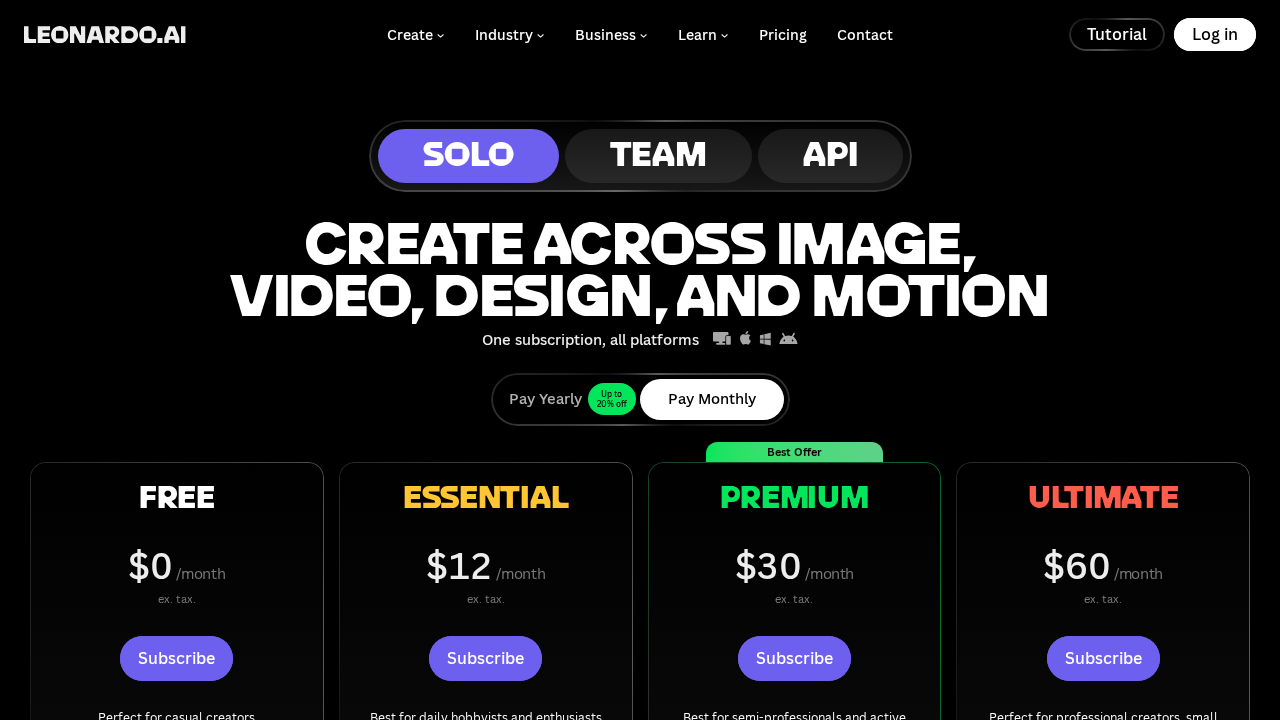
Leonardo AI offers a free tier with a daily token allowance. Multiple sources — including Litmus, Selfielab, and a 2026 YouTube comparison — confirm the free tier covers Character Reference and Flow State features, making it genuinely usable without a credit card. Paid plans exist for users who need higher token limits, priority generation queues, and expanded model training capacity. For current plan details and prices, check the official site at leonardo.ai directly — tiers change periodically and any figures here could be stale.
Pros and Cons
Pros
- Generous free tier with daily token credits — usable without paying
- Character Reference delivers 90%+ consistency from a single reference image
- Native anime style preset in Flow State mode with lighting controls
- Custom model training for consistent house styles
- Clean browser-based interface — no install required
- Built for high-volume asset production workflows
- ControlNet-style control for pose and composition
Cons
- Token-based system can feel limiting during intensive sessions on the free plan
- Advanced features (model training, ControlNet controls) have a steeper learning curve than simpler tools
- Character consistency occasionally drifts on complex multi-character scenes
- Pricing tiers change — requires checking the official site for current figures
Who Should NOT Use Leonardo AI
- One-time casual users — if you need a single image quickly and never plan to return, a simpler free tool has a lower learning curve.
- Teams needing deep API access — competitors like WaveSpeedAI offer more extensive API access for programmatic pipelines.
- Adobe ecosystem users — Adobe Firefly integrates directly into Photoshop and Illustrator, which matters if your team lives in that stack.
- Users who prioritize raw aesthetic quality over consistency — Midjourney is still preferred by many for painterly or photorealistic outputs where consistency tooling matters less than image quality.
Verdict
Leonardo AI earns an 8.5/10 for anime character design in 2026. The Character Reference system alone justifies a free account: consistent character output across poses and scenes is the hardest problem in AI-assisted character work, and Leonardo solves it with a documented, repeatable workflow. Pair that with the native anime preset in Flow State mode, ControlNet-style controls, and an interface that does not require art skills — and you have a production-grade tool accessible to hobbyists. It is not the simplest entry point and Midjourney or Adobe Firefly may better suit certain workflows, but for volume character work with stylistic consistency, Leonardo AI is a top-tier choice.
FAQ
Can I create anime characters in Leonardo AI for free?
Yes. The free tier includes a daily token allowance that covers the anime style preset and Character Reference feature. Heavy daily use will exhaust the free allocation and require a paid plan.
How do I keep my anime character consistent across multiple images?
Use Character Reference with a clean front-facing reference image, lock the generation seed, and iterate with image-to-image. Selfielab’s 2026 tutorial documents a 5-step workflow that achieves 90%+ consistency.
What style presets does Leonardo AI offer for anime?
Flow State mode includes an explicit anime preset alongside acrylic painting, bronze, origami, graphic design, color sketch, oil painting, and clay sculpture — each paired with lighting controls.
How does Leonardo AI compare to Midjourney for anime style?
Leonardo offers more structured control (Character Reference, model training, ControlNet-style tools) and a free tier. Midjourney is often preferred for raw aesthetic quality and painterly outputs. The choice depends on whether you prioritize control and consistency or overall image quality per generation.
Does Leonardo AI support video from anime characters?
Yes, Leonardo AI has expanded to include video generation from static visuals, though its primary strength remains in image and character consistency workflows.