What is Pictory?
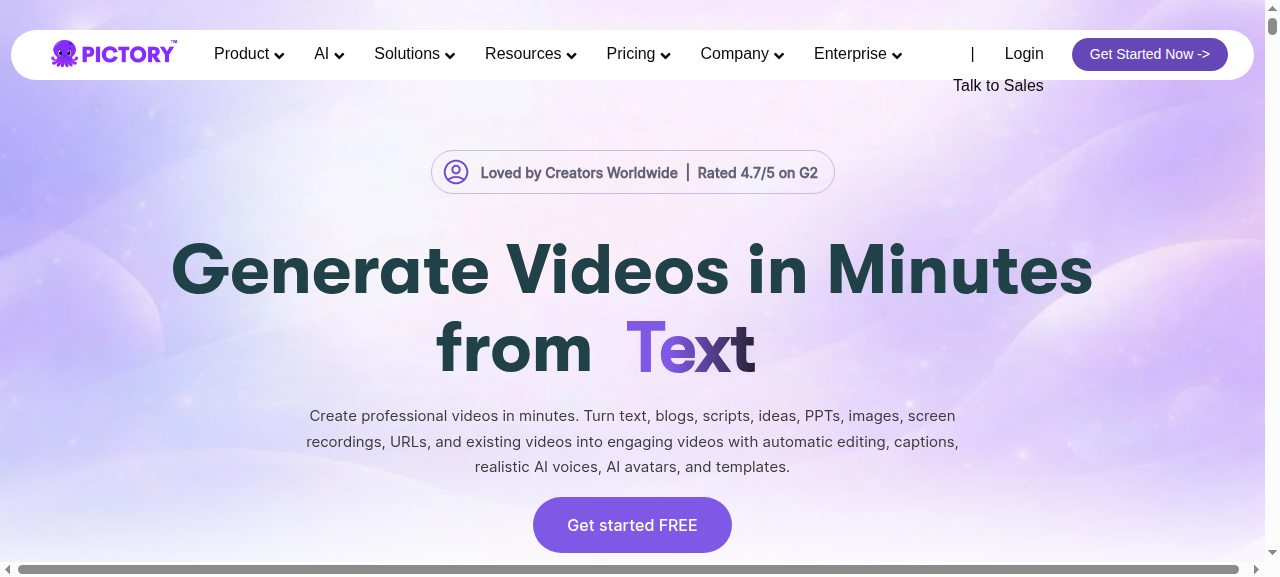
Pictory is a cloud-based AI video platform that converts long-form text — blog posts, articles, scripts, and recorded meetings — into short, polished videos without any editing experience. Paste a URL, and Pictory’s AI extracts key sentences, matches stock footage, generates captions, and adds a voiceover in under five minutes.
Launched in 2021 and now one of the most widely adopted AI video tools, Pictory is the go-to solution for content marketers and agencies that need to repurpose written content at scale without a dedicated video team.
Key Features
- Blog to Video: Paste any public URL or raw article text. Pictory extracts the most important sentences, pairs them with relevant clips from a 3M+ stock library, and assembles a draft video automatically.
- Script to Video: Write or paste a script and get a narrated, fully edited video — ideal for YouTube explainers and social ads.
- Edit Video by Text: Upload a webinar, podcast, or Zoom recording and edit the footage by editing the auto-generated transcript. Deleting a sentence deletes the corresponding footage.
- Auto Captions: AI-generated captions with 98%+ accuracy across 29 languages, fully customizable in font, color, and position.
- AI Voiceover: 200+ realistic text-to-speech voices, with the option to upload your own recorded audio instead.
- Brand Kit: Lock your logo, fonts, and color palette so every video output stays on-brand without manual adjustments.
- Highlight Reels: Upload a long video and Pictory auto-identifies the best short clips for social media repurposing.
- Stock Library: 3M+ licensed video clips and 15,000+ royalty-free music tracks included on all paid tiers — no extra subscription needed.
Pricing
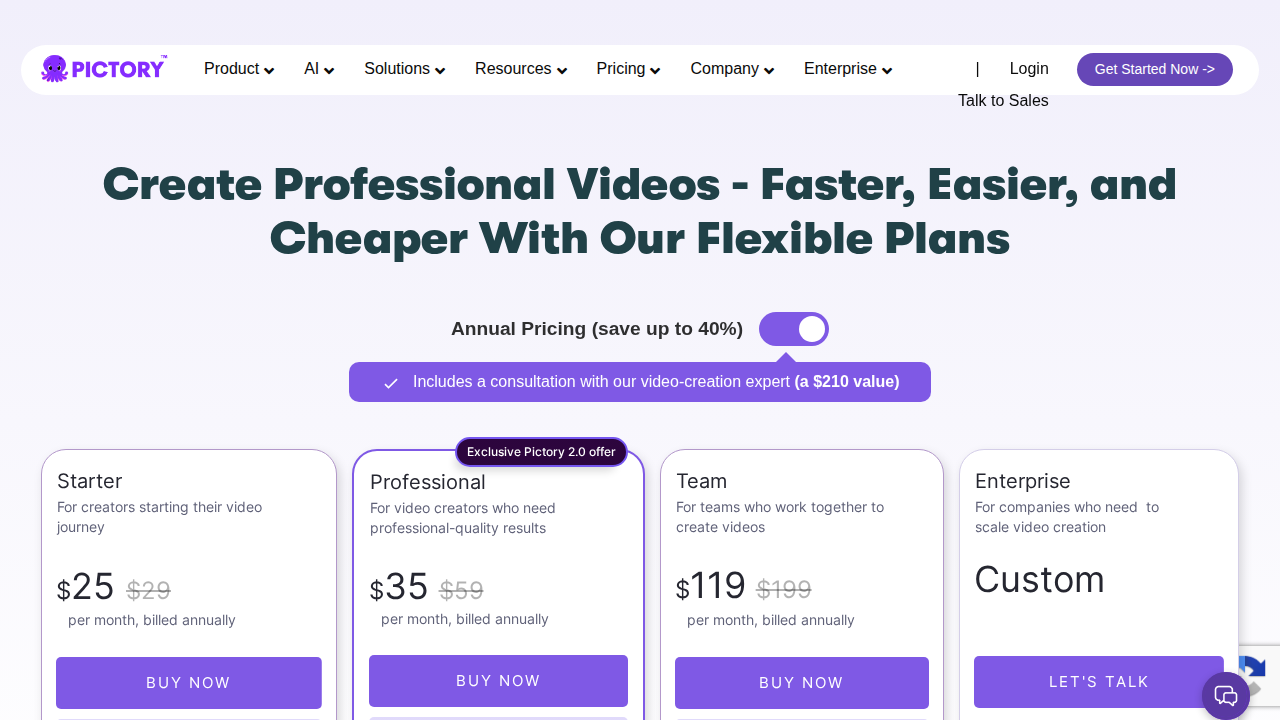
Pictory offers a free trial with 3 watermarked video projects and no credit card required. Paid plans are billed annually:
| Plan | Price/mo | Videos/mo | Max Length |
|---|---|---|---|
| Starter | ~$19 | 30 | 10 min |
| Professional | ~$39 | 60 | 20 min |
| Teams | ~$99 | 90 | 20 min / 3 seats |
Prices reflect 2026 annual billing rates. Check Pictory’s site for current promotions.
→ Try Pictory free — no credit card required
Pros and Cons
Pros
- Fastest blog-to-video workflow available — genuinely under 5 minutes from URL to draft
- Massive built-in stock library eliminates the need for Storyblocks or Shutterstock
- Auto captions are accurate and save hours of manual transcription work
- Zero video editing experience required — the learning curve is nearly flat
- Brand Kit guarantees visual consistency across all videos at scale
- Highlight reel feature multiplies repurposing ROI from existing recordings
- Fully cloud-based — no software installs, works on any OS
Cons
- AI scene matching is inconsistent — generic B-roll sometimes feels irrelevant to the text
- TTS voices still sound robotic on long narrations despite steady improvements
- No timeline editor — limited precision for producers who need fine control
- Monthly video caps can frustrate high-volume teams on the Starter plan
- Rendering slows noticeably during peak hours
Who Should NOT Use Pictory
- Filmmakers and narrative storytellers: There is no timeline editor. Use DaVinci Resolve or Premiere Pro instead.
- Teams needing custom motion graphics: Pictory has no animation engine. Descript combined with After Effects is a better fit.
- Ultra-high-volume publishers (500+ videos/month): Per-video caps make all plans prohibitively expensive at that scale.
- Creators who need original footage: Pictory only provides stock clips. If your brand requires custom shooting, this tool won’t replace a camera.
Verdict
Pictory delivers exactly on its core promise: it is the fastest, most frictionless way to turn a blog post into a publishable video in 2026. For content marketers, SEO agencies, and solo creators sitting on months of written content, the ROI is visible from day one.
The AI is not flawless — you will spend a few minutes swapping out irrelevant stock clips — but the time saved versus manual editing is substantial. At $19–$39/month, it is priced accessibly for individuals and growing teams. If your goal is consistent video output from existing written content, Pictory is the clearest choice on the market today.
Rating: 8.3/10 — Exceptional for content repurposing at speed. Not the right tool for creators who need precision editing control or original footage.
Start your free Pictory trial →
FAQ
Can Pictory turn any blog post URL into a video?
Yes. Paste any publicly accessible URL into the Blog to Video tool and Pictory scrapes the text, identifies key sentences, and matches stock footage automatically. It works best with articles over 300 words.
Does Pictory add subtitles automatically?
Yes. All paid plans include automatic caption generation with 98%+ accuracy in 29 languages. Captions are fully customizable in font, size, color, and positioning.
Is there a free plan?
Pictory offers a free trial with 3 watermarked video projects. No credit card is required to start. Paid plans remove watermarks, raise video limits, and unlock the full stock library.
How long does it take to create a video?
Typically 3–7 minutes from pasting a blog URL to a reviewable draft. Final export after your edits takes an additional 1–3 minutes depending on video length and server load.
Can I use my own voice with Pictory?
Yes. You can upload a pre-recorded voiceover file or choose from 200+ AI text-to-speech voices. Higher-tier plans also support voice cloning for a consistent personal narrator style.