What is Notion AI?
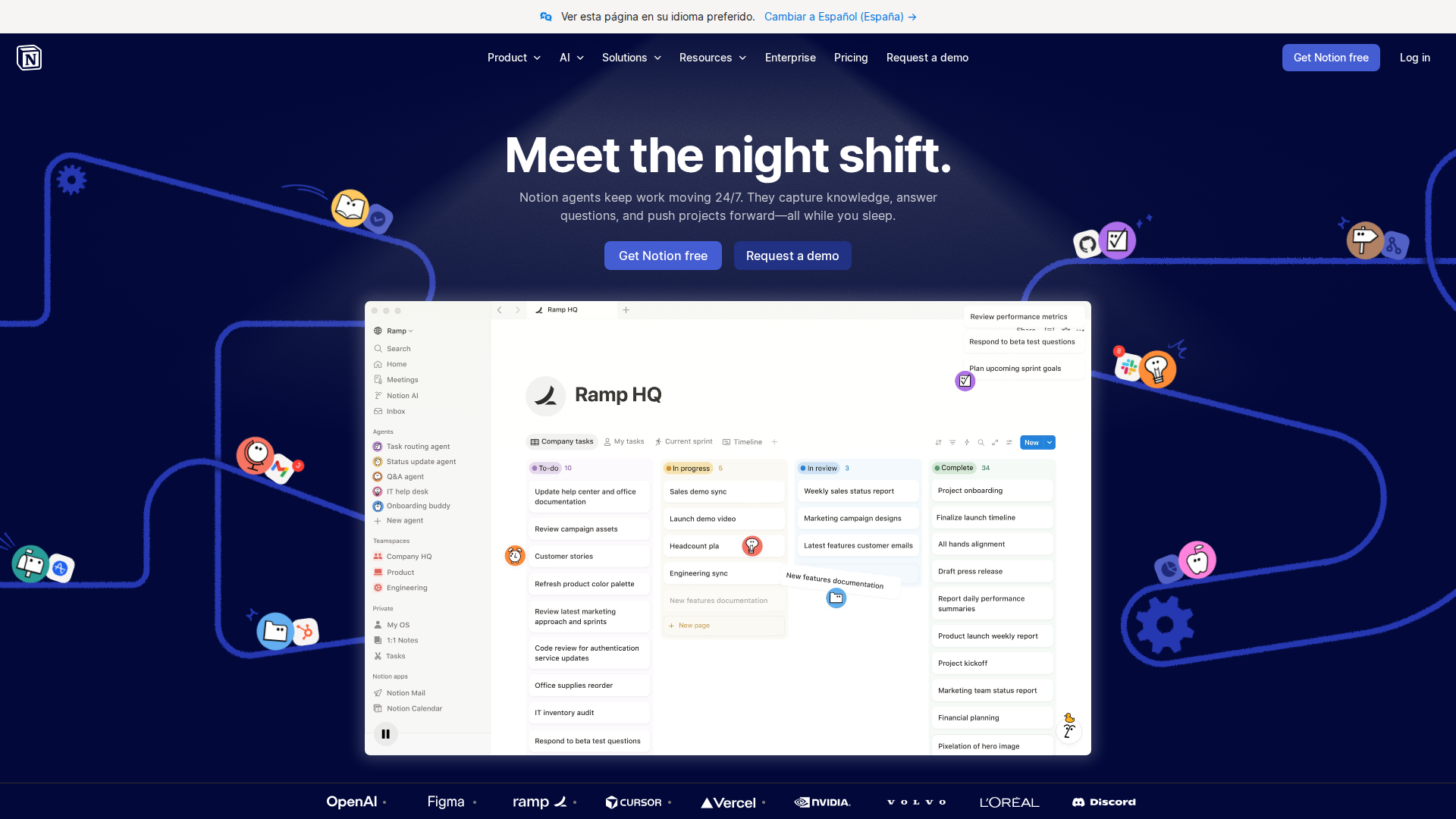
Notion AI is the artificial intelligence layer built directly into Notion’s all-in-one workspace platform. Launched broadly in 2023 and significantly upgraded through 2025 and into 2026, Notion AI transforms a traditional note-taking and project management app into a smart knowledge hub. It can summarize pages, generate content, answer questions about your workspace, auto-fill databases, and even reason across multiple documents — all without leaving your Notion environment.
In the context of the Notion AI vs Obsidian for knowledge management 2026 debate, Notion AI represents the cloud-first, collaboration-heavy, AI-native approach. It is designed for teams and individuals who want a polished, integrated experience where the AI does heavy lifting on organization, retrieval, and content creation.
By May 2026, Notion AI has matured into one of the most capable AI-assisted knowledge management tools on the market, featuring a conversational Q&A interface that searches your entire workspace, smart summaries, meeting note automation, and deep database intelligence.
Key Features
- AI Q&A Across Workspace: Ask any question and Notion AI searches your entire knowledge base — pages, databases, linked documents — to surface accurate, cited answers in seconds.
- Smart Summaries: Instantly summarize long pages, meeting notes, project wikis, or entire databases with a single click, saving hours of manual review.
- AI Autofill for Databases: Automatically populate database properties like status, priority, category, or sentiment using AI inference from page content.
- Writing Assistant: Draft, rewrite, improve tone, fix grammar, translate, and expand content directly inside any Notion page with contextual AI suggestions.
- Meeting Notes Automation: Connect calendar integrations and let Notion AI generate structured meeting summaries, action items, and follow-ups automatically.
- AI-Powered Search: Semantic search that understands intent, not just keywords, making it far easier to rediscover buried knowledge across large workspaces.
- Connectors (2026 Update): Notion AI now connects to Slack, Google Drive, GitHub, and Jira, pulling external context into your AI queries for a unified knowledge experience.
- Templates with AI: Hundreds of AI-enhanced templates for wikis, roadmaps, CRMs, and personal knowledge bases that auto-populate and adapt to your data.
Pricing
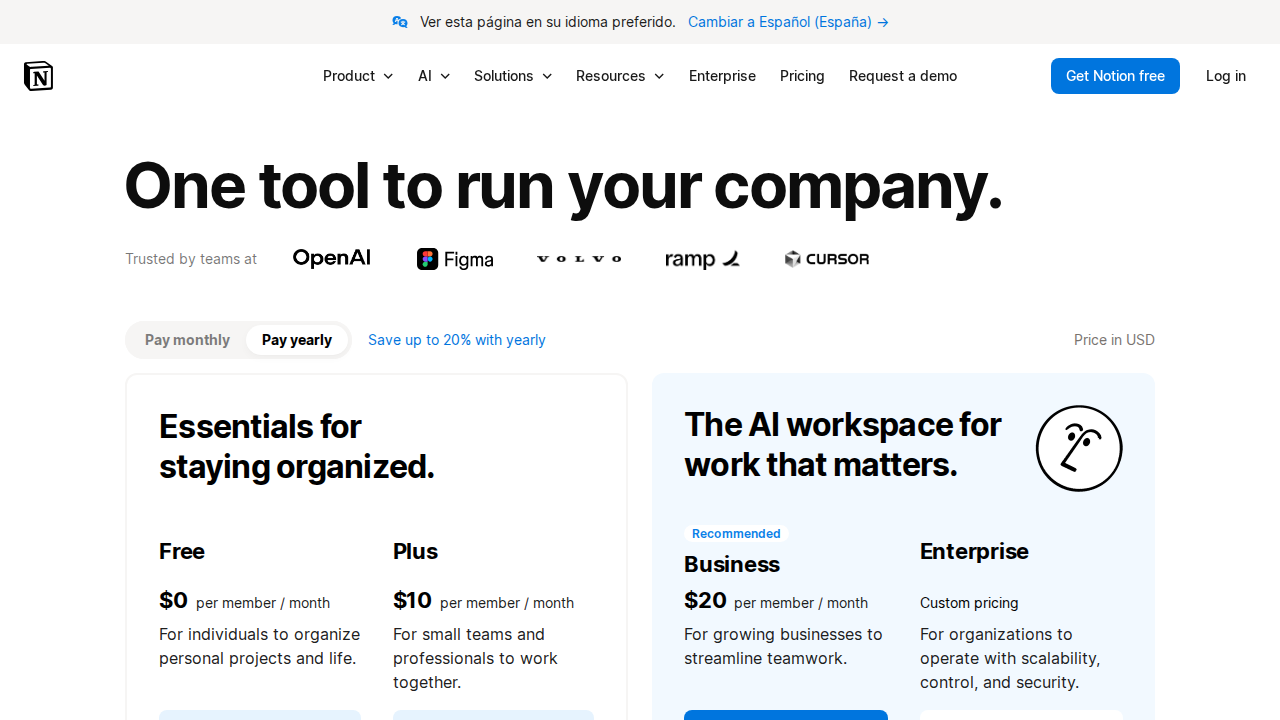
As of May 2026, Notion AI pricing is structured as follows:
- Free Plan: Basic Notion workspace with limited AI responses (approximately 20 AI uses per month). Good for casual exploration.
- Notion AI Add-on — $10/user/month: Unlimited AI access added to any existing Notion plan (Plus, Business, or Enterprise). This is the most common entry point for serious users.
- Plus Plan + AI — $18/user/month: Combines the Plus workspace tier with unlimited Notion AI. Ideal for small teams and power users.
- Business Plan + AI — $25/user/month: Full collaboration features, advanced permissions, and unlimited AI. Best for growing teams.
- Enterprise: Custom pricing with SSO, audit logs, advanced security, and dedicated support. Contact Notion sales for quotes. Compared to Obsidian — which is free for personal use with a one-time $50 Catalyst license for early access and $96/year for Sync — Notion AI is more expensive but bundles AI natively. Obsidian requires third-party plugins like Smart Connections or Copilot to achieve comparable AI functionality, adding complexity and sometimes additional cost.
Pros and Cons
Pros
- AI is native and seamless: No plugins, no API keys, no configuration — AI works out of the box across your entire workspace.
- Exceptional for teams: Real-time collaboration, shared wikis, and AI that understands team context make Notion AI unmatched for group knowledge management.
- Powerful database + AI combination: The ability to autofill and query structured databases with AI is a genuine productivity superpower unavailable in Obsidian natively.
- Constantly improving: Notion ships frequent AI updates; the 2026 connector features significantly expanded its knowledge retrieval capabilities.
- Low learning curve: Notion’s polished UI and guided onboarding make it accessible to non-technical users who would struggle with Obsidian’s markdown-first approach.
- Cross-platform and web-based: Access your knowledge base from any device, browser, or OS without syncing headaches.
Cons
- Data lives in the cloud: Privacy-conscious users or those in regulated industries may be uncomfortable with Notion storing all knowledge on external servers.
- Cost adds up for teams: At $18–$25/user/month with AI, large teams face significant subscription costs compared to Obsidian’s one-time or low-cost model.
- No true local-first option: Unlike Obsidian, which stores everything as plain markdown files on your device, Notion has no offline-first or local storage mode.
- Vendor lock-in risk: Your knowledge base is tied to Notion’s proprietary format. Exporting is possible but imperfect, creating long-term dependency.
- AI quality varies by task: While excellent at summarization and Q&A, Notion AI can struggle with highly technical or niche domain knowledge compared to specialized tools.
- Performance at scale: Very large workspaces (thousands of pages) can experience slower AI response times and occasional retrieval gaps.
Who Should NOT Use Notion AI
Notion AI is a powerful tool, but it is not the right fit for everyone. You should consider alternatives — including Obsidian — if any of the following apply to you:
- You prioritize data privacy and local storage: If you work with sensitive personal, legal, medical, or proprietary business data and cannot accept cloud storage, Obsidian’s local markdown files are a far safer choice.
- You are a solo researcher or academic: Obsidian’s bidirectional linking, graph view, and Zettelkasten-friendly structure are purpose-built for deep, interconnected personal research. Notion AI’s strength is breadth, not depth of thought linking.
- You want full ownership of your data format: Obsidian stores everything as plain .md files you can open with any text editor forever. Notion’s export is functional but not seamless, creating long-term lock-in.
- You are on a tight budget: Obsidian is free for personal use. If cost is a primary concern and you are a solo user, Obsidian with free AI plugins delivers strong value at near-zero cost.
- You prefer a highly customizable, plugin-driven environment: Obsidian’s community plugin ecosystem (1,000+ plugins) allows extreme customization. Notion AI, while flexible, operates within Notion’s defined structure.
Verdict
In the Notion AI vs Obsidian for knowledge management 2026 comparison, the winner depends entirely on your use case — and that is not a cop-out answer, it is the honest truth.
Notion AI earns a strong 8.5/10 for its seamless AI integration, team collaboration capabilities, and the sheer convenience of having a smart assistant embedded in your workspace. The 2026 connector updates that pull in Slack, Google Drive, and GitHub context have genuinely elevated it into enterprise-grade knowledge management territory. For teams, project-driven organizations, and users who want AI to work without configuration, Notion AI is the clear choice.
However, Obsidian remains the superior tool for privacy-first users, solo researchers, academics, and anyone who values data ownership and deep thought-linking over collaborative convenience. Obsidian’s graph-based knowledge architecture and local-first philosophy serve a fundamentally different — and equally valid — knowledge management philosophy.
Our recommendation: Choose Notion AI if you work in teams, value AI-native features, and want a polished all-in-one workspace. Choose Obsidian if you are a solo knowledge worker who prioritizes privacy, data ownership, and deep personal knowledge graphs. Many power users in 2026 actually use both — Notion AI for team and project work, Obsidian for personal research and writing.
Try Notion AI today and see if it transforms your knowledge management workflow →
FAQ
Is Notion AI better than Obsidian for knowledge management in 2026?
It depends on your needs. Notion AI is better for teams, collaboration, and AI-native features. Obsidian is better for privacy, local storage, and deep personal knowledge graphs. Neither is universally superior — they serve different knowledge management philosophies.
Can Obsidian match Notion AI’s artificial intelligence features?
Obsidian can approximate Notion AI’s capabilities through community plugins like Smart Connections, Copilot, and Text Generator, but these require manual setup, API keys, and ongoing maintenance. Notion AI’s integration is seamless and requires zero configuration, giving it a significant usability advantage.
Does Notion AI work offline?
Notion has limited offline functionality for viewing cached pages, but Notion AI requires an active internet connection to function. Obsidian, by contrast, is fully offline-capable with local AI plugins that run models on-device.
How much does Notion AI cost in 2026?
Notion AI is available as a $10/user/month add-on to any Notion plan, or bundled in the Plus plan at $18/user/month and Business plan at $25/user/month. Enterprise pricing is custom. Obsidian is free for personal use with optional paid Sync ($96/year) and Publish ($192/year) services.
Is my data safe with Notion AI?
Notion uses enterprise-grade encryption and complies with GDPR, SOC 2 Type II, and other standards. However, your data is stored on Notion’s cloud servers. If absolute data sovereignty is required, Obsidian’s local-first model is the safer choice.
Can I use both Notion AI and Obsidian together?
Yes, and many knowledge workers in 2026 do exactly this. A common workflow is using Notion AI for team wikis, project management, and collaborative documents, while using Obsidian for personal research, journaling, and deep knowledge linking. The two tools complement each other well.
What is the biggest advantage of Notion AI over Obsidian?
The biggest advantage is the native, zero-configuration AI that works across your entire workspace — including databases, pages, and external connectors. The ability to ask natural language questions and get cited answers from your knowledge base, combined with AI database autofill, is a capability Obsidian cannot match without significant plugin setup.